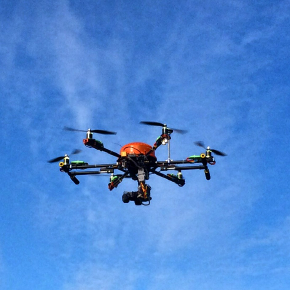
ESP32 LED Controller for Model Aircraft
Professional LED controller firmware for ESP32. Designed for model aircraft with WS2812B LED strips.
Features
Hardware Support
- ESP32 DevKitC and ESP32-C3 MINI Development Board
- Dual WS2812B LED strip support (configurable GPIOs)
- PWM or SBUS signal input for RC control
- Real-time LED animation at 60 FPS
Animation Modes
- Black - All LEDs off
- Red - Solid red
- Blue - Solid blue
- Green - Solid green
- White - Solid white
- Rainbow - Smooth rainbow gradient
- Rainbow with Glitter - Rainbow with sparkles
- Confetti - Random colored speckles
- Sinelon - Sweeping colored dot with trails
- BPM - Pulsing stripes at 33 BPM
- Navigation - Aviation lights (red left, green right)
- Chase (Red) - Red dot chase effect
- Chase (RGB) - RGB cycling chase effect
- Random - Random LED colors
Project Structure
led-controller-firmware/
├── main/
│   ├── main.c           # Application entry point
│   ├── control.c/h      # initialization
│   ├── config.c/h       # NVS
│   ├── led.c/h          # WS2812B control (RMT driver)
│   ├── rcsignal.c/h     # PWM/SBUS signal reading
│   ├── localbtn.c/h     # Local btn reading
│   └── animation.c/h    # LED animation patterns
├── CMakeLists.txt
├── sdkconfig.defaults
└── partitions.csv       # OTA-enabled partition table
Build Instructions
Prerequisites
-
Install ESP-IDF v5.0 or later
-
For ESP32-C3, ensure RISC-V toolchain is installed
Building
cd led-controller-firmware

# For ESP32 DevKitC
idf.py set-target esp32
idf.py build

# For ESP32-C3 MINI
idf.py set-target esp32c3
idf.py build
Flashing
idf.py -p /dev/ttyUSB0 flash monitor
Replace /dev/ttyUSB0 with your serial port.
Hardware Setup
Wiring
ESP32 Pin    -> Component
-----------     ----------
GPIO XX      -> WS2812B Strip A Data
GPIO XX      -> WS2812B Strip B Data
GPIO XX      -> RC PWM/SBUS Signal
GPIO XX      -> Local button Signal
GND          -> Common Ground
5V           -> LED Strip Power (if current < 500mA)
LED Strips
- WS2812B strips require 5V power
- Each LED draws ~60mA at full white
- Use external power supply for >10 LEDs
- Add 100-500µF capacitor near strips
- Add 330Ω resistor on data line
PWM Signal Mode
- Standard RC PWM: 1000-2000µs pulse width
- 1500µs threshold for mode switching
- Rising edge >1500µs after <1500µs triggers next mode
SBUS Mode (FrSky X4R-SB)
X4R-SB SBUS/CH4 → ESP32 UART1 RX Pin (configured GPIO)
Note: The FrSky X4R-SB outputs inverted SBUS. The module automatically handles this inversion.
Development
Adding New Animations
- Add mode to
animation_mode_tenum inanimation.h - Implement animation function in
animation.c - Add case to
animation_update()switch statement
Testing
# Build and flash
idf.py build flash

# Monitor output
idf.py monitor

# Exit monitor: Ctrl+]
Debug Output (SBUS Mode Only)
// Print all 16 channels to console
rcsignal_debug_print_channels();
Example output:
I (12345) RCSIGNAL: SBUS Channels:
I (12345) RCSIGNAL:   CH1: 992  CH2: 992  CH3: 172  CH4: 1811
I (12345) RCSIGNAL:   CH5: 992  CH6: 992  CH7: 992  CH8: 992
I (12345) RCSIGNAL:   CH9: 992 CH10: 992 CH11: 992 CH12: 992
I (12345) RCSIGNAL:  CH13: 992 CH14: 992 CH15: 992 CH16: 992
I (12345) RCSIGNAL: Trigger channel (CH4): 1811
License
See LICENSE