 localhorst
f0246a60d2
localhorst
f0246a60d2
Measure Throughput
     │
     ▼
throughput > best?
     │
 ┌───┴───┐
YES     NO
 │       │
 │       ▼
 │   currentChunk == bestChunk?
 │       │
 │   ┌───┴───┐
 │  YES     NO
 │   │       │
 │   ▼       ▼
 │ throughput < best?  Nichts tun
 │   │
 │ ┌─┴─┐
 │YES NO
 │ │   │
 │ ▼   ▼
 │UPDATE!
 │BEST!
 │
 ▼
UPDATE
BOTH!

Reviewed-on: #98
Co-authored-by: localhorst <localhorst@mosad.xyz>
Co-committed-by: localhorst <localhorst@mosad.xyz>
1.5 KiB
1.5 KiB
reHDD
Features:
- show S.M.A.R.T values of attached drives
- checking used drives for their next live based on threshold limits
- delete a drive instant with wipefs
- deleting a drive securely via overwriting
- only needs a display and keyboard
- process multiple drives at once
Download USB Image
See reHDD-Bootable how the live image is created: https://git.mosad.xyz/localhorst/reHDD-Bootable
Use Etcher or dd to create an bootable USB drive .
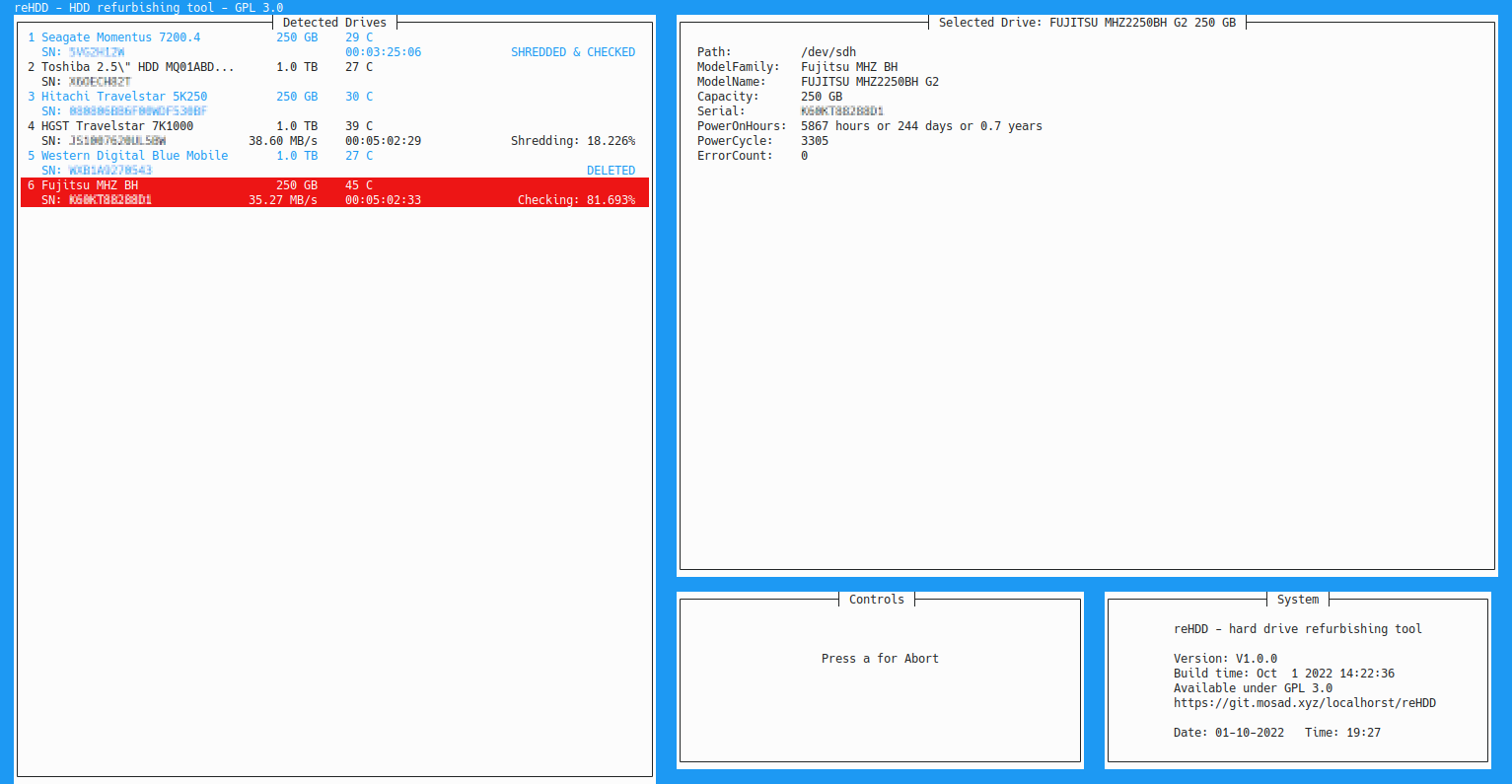
Screenshot
openSUSE Build Notes
zypper install ncurses-devel git make gcc-c++git submodule initgit submodule updatemake release
Enable Label Printer
Just install reHDDPrinter. No further settings needed.
Software requirements
zypper install hwinfo smartmontools curl htop sudo
Installation
clone this repo into /root/
git submodule init
git submodule update
cd /root/reHDD/
make release
bash scripts/install_reHDD.bash
If you want to upload the logs, edit scripts/reHDDLogUploader.bash with your nextcloud token
Add ignored drives in /root/reHDD/ignoreDrives.conf like:
e102f49d
Get the first 8 Bytes from your UUID via blkid /dev/sdX
reboot
Build docs
make docs
open doc/html/index.html in browser